
Buying a SIM Card at Kansai International Airport: A Complete Guide for Travelers
Updated : 2025-07-13 13:28:21
Most travelers arriving at Kansai International Airport (KIX) want to get online with their smartphones as soon as they land. At KIX, you'll find stores selling SIM cards, SIM card vending machines, and counters for renting Pocket Wi-Fi. All the essential options for staying connected in Japan are available right at the airport.
This article covers where to buy SIM cards at KIX, their operating hours, price ranges, important considerations, and alternative methods. Many travelers don't have time to buy a SIM card at a store if they have a connecting flight immediately after arriving at KIX. For those individuals, we'll also introduce alternative methods and ways to buy SIM cards affordably.
If your smartphone supports eSIM, you can purchase an eSIM online to get connected anywhere in Japan, anytime. If you can't buy a SIM card at the airport or want an easy and affordable way to get online in Japan, we highly recommend purchasing an eSIM online. Travel Mobile offers eSIMs for Japan with the same quality as major carriers at reasonable prices. If you plan to use an eSIM, please consider using our service:
eSIM Japan.
You can check if your smartphone supports eSIM for use in Japan on the following page:
How to Quickly Check if Your Smartphone Can Use a Japanese eSIM in 5 Seconds.
How to Buy a SIM Card at Kansai airport
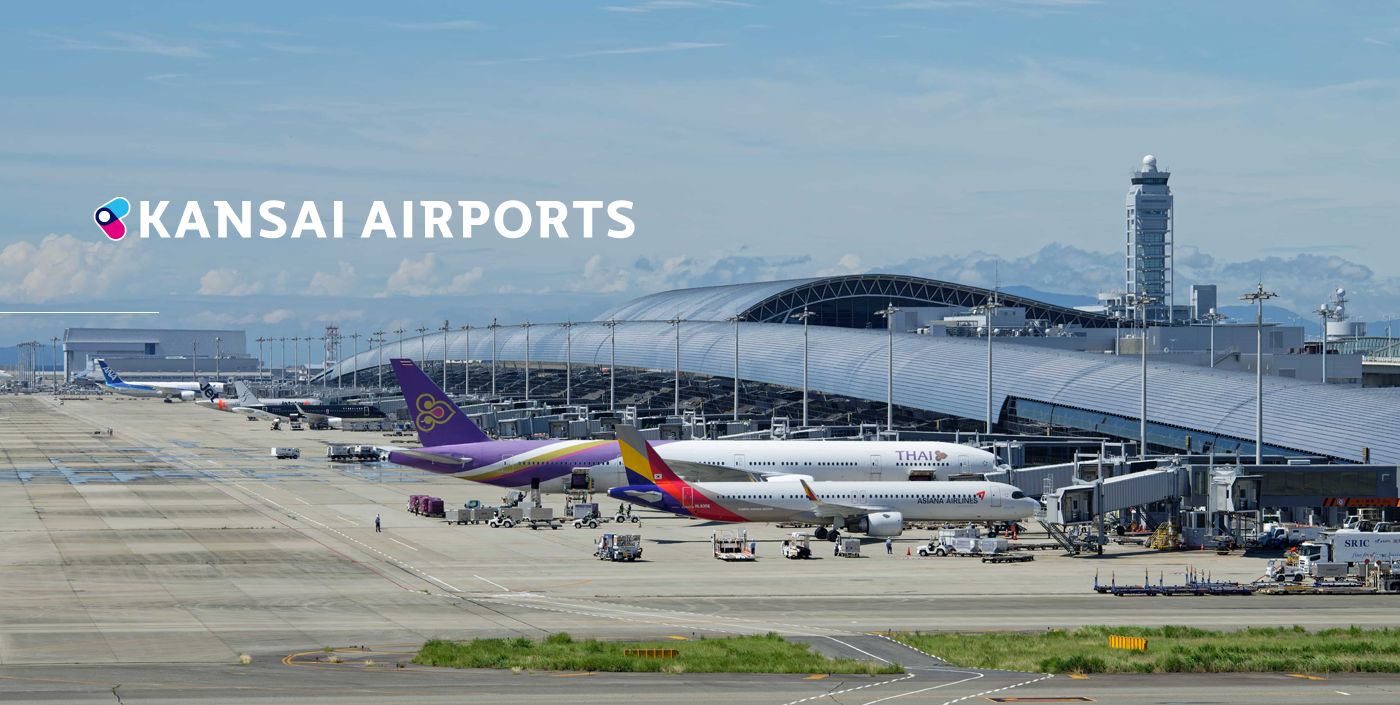
KIX has locations selling SIM cards in both Terminal 1 and Terminal 2. There are three main ways to purchase them:
- In-person purchase at a staffed counter
- Unattended purchase at a vending machine
- Purchase a SIM card online and pick it up at Kansai Airport
1. In-Person Purchase at a Staffed Counter
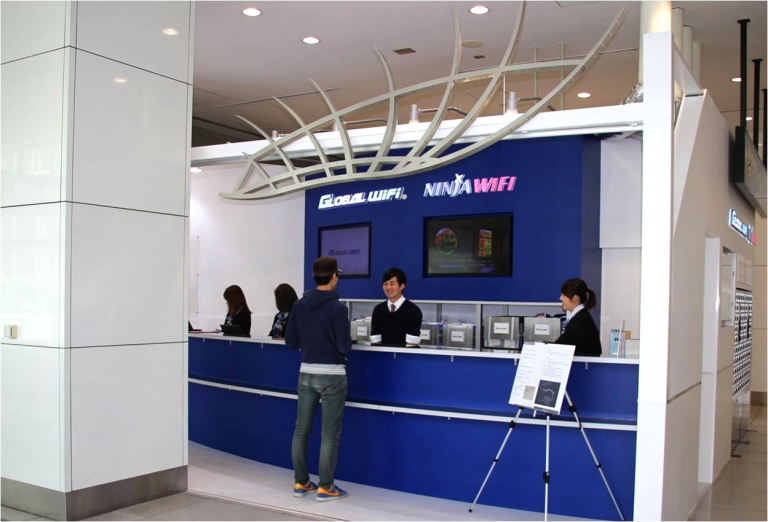
At counters like GLOBAL WiFi (NINJA WiFi), you can not only buy SIM cards but also receive setup support. English-speaking staff are always available, so you don't need to worry about language barriers. You can confidently purchase and start using your SIM card even if you don't speak Japanese.
In addition to SIM cards, these counters also handle eSIM activation and Pocket Wi-Fi rentals. While prices might be slightly higher because of the human assistance, if you're unsure about setting up a SIM card or eSIM, using a staffed counter is highly recommended. It offers complete peace of mind.
2. Unattended Purchase at a Vending Machine
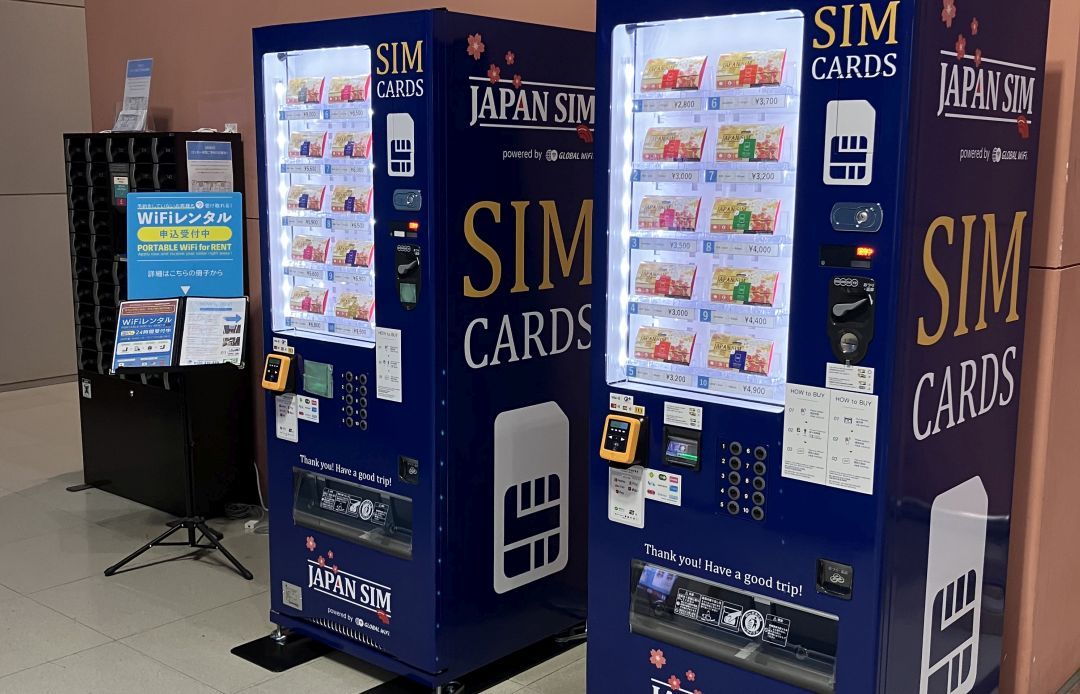
SIM card vending machines are located in multiple areas throughout KIX. These machines operate 24 hours a day, so you can use them even in the early morning or late at night. Although there's no staff assistance, the machines offer multi-language support (English, Chinese, Korean, etc.) for easy operation, making them convenient for foreign travelers.
3. Purchase a SIM Card Online and Pick It Up at Kansai Airport (Recommended)
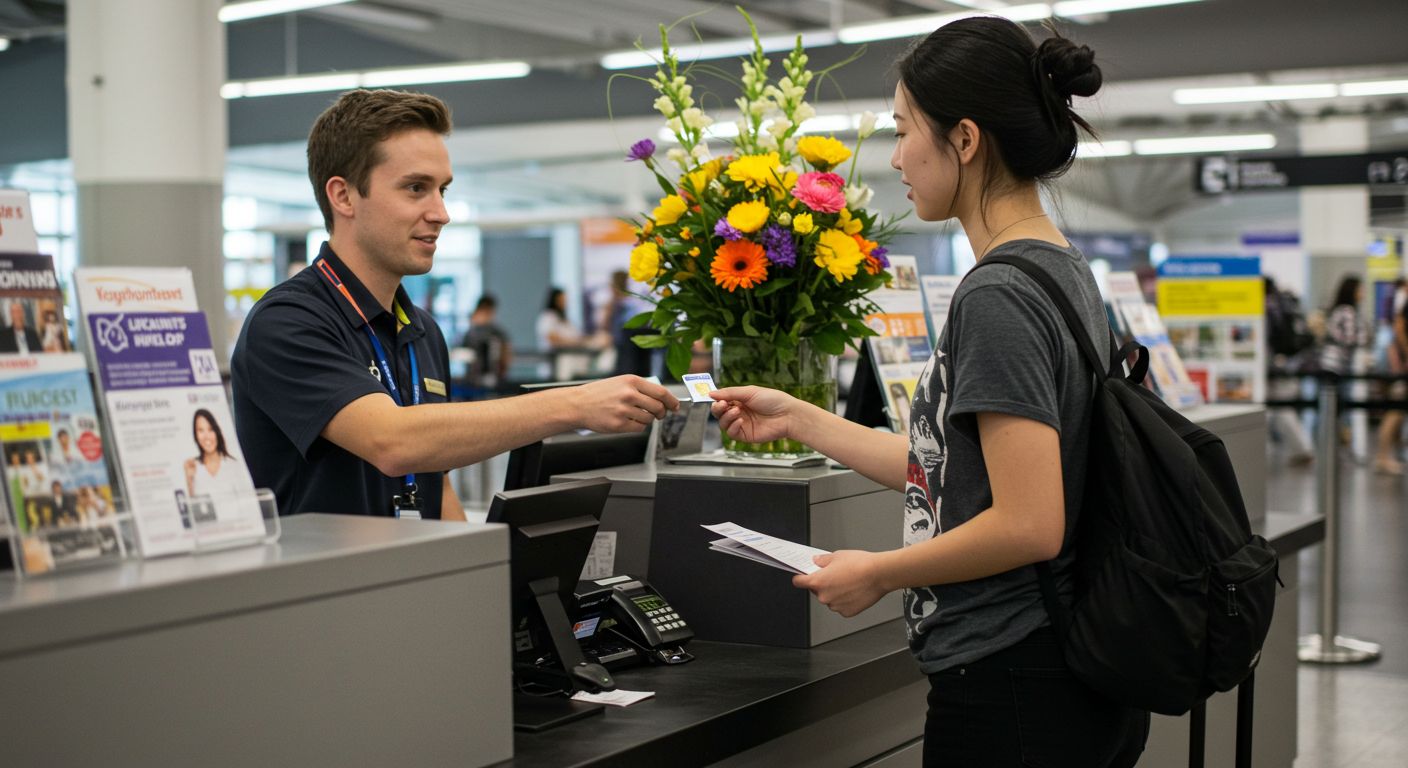
Many services sell SIM cards for travelers to Japan. A number of these services partner with counters at Kansai Airport, allowing you to purchase a SIM card online and pick it up there. Online services often offer more affordable prices and a wider range of plans, so you can choose a service that suits your needs.
Furthermore, since you only need to pick up the SIM card upon arrival at Kansai Airport, you won't need to spend time searching for one. For those who can set up a SIM card themselves, purchasing online and picking it up at Kansai Airport is the most recommended method, as it offers the best prices and plans.
While the main advantage of buying online is getting an affordable and good SIM card, if you're unsure about the setup process, it's better to choose a store with in-person assistance at the airport.
SIM Card Sales Locations and Business Hours at KIX
GLOBAL WiFi (NINJA WiFi)
- Locations:
- Terminal 1 North Counter (near International Arrivals Lobby)
- Terminal 1 Central Counter (near North-South connecting passage)
- Terminal 2 Arrivals Floor
- Business Hours:
- North Counter: 6:00 AM - 11:00 PM
- Central Counter: 6:30 AM - 10:30 PM
- Terminal 2: 7:00 AM - 9:30 PM
- Services:
- Sales of prepaid SIM cards (1GB/day to unlimited plans available)
- Same-day eSIM issuance and setup support
- Pocket Wi-Fi pickup and return
- Device troubleshooting and English support
- Supported Languages: English, Japanese, Chinese (may vary by counter)
Sakura Mobile
- Location:
- Terminal 1 North Counter (near International Arrivals Lobby)
- Business Hours:
- Terminal 1: 6:00 AM - 11:00 PM
- Services:
- Sales of prepaid SIM cards
- Same-day eSIM issuance
- Pocket Wi-Fi pickup and return
- English support
- Supported Languages: English (may vary by counter)
SIM Vending Machine
- Locations:
- Terminal 1 Arrivals Lobby, near baggage claim
- Terminal 2 Arrivals Lobby
- Business Hours:
- 24 hours a day (open year-round)
- Payment Methods:
- Cash (Japanese Yen)
- Some machines accept credit cards and IC cards (like Suica)
- Important Notes:
- Product descriptions are displayed on the screen, but you cannot consult with staff about physical products.
- Some brands require "activation" or "APN settings" before use.
- No returns or refunds after purchase.
SIM Card Prices at KIX (In-Store)
Ninja WiFi and Sakura Mobile have physical stores and accept reservations through their websites, where prices are also listed. We recommend booking in advance whenever possible, as stock may run out.
| Data Allowance | Validity | Price (JPY) | |
|---|---|---|---|
| Ninja WiFi | |||
| 1GB/day | 7 days | 3,795 | |
| 1GB/day | 15 days | 4,422 | |
| 20GB | 30 days | 5,049 | |
| Unlimited | 15 days | 7,150 | |
| Unlimited | 20 days | 8,800 | |
| Unlimited | 30 days | 9,900 | |
| Sakura Mobile | |||
| Unlimited | 5 days | 3,850 | |
| Unlimited | 8 days | 4,950 | |
| Unlimited | 12 days | 6,270 | |
| Unlimited | 15 days | 7,150 | |
| Unlimited | 21 days | 8,415 | |
| Unlimited | 30 days | 9,900 |
- SIM cards sold in Japan are for data communication only (no calls or SMS).
- Setup guides for purchased SIM cards are often in English, and first-time users can usually set them up by following the instructions.
Purchasing from an online shop and arranging pickup at Kansai Airport is often cheaper for the same quality SIM card as those sold at KIX. Therefore, it's recommended to buy your SIM card from an online shop before arriving in Japan and arrange for pickup at Kansai Airport.
Prepaid SIM vs. eSIM: What's the Difference?
Prepaid SIM Card (Physical SIM)
- Physically inserted into your smartphone for use.
- Compatible with many phone models and often requires no special setup (just APN settings).
- Risk of loss.
- Requires SIM unlock (details below).
eSIM (Digital SIM)
- No physical card needed; activated by scanning a QR code onto your device.
- Can be purchased and set up online before your trip.
- May require a Wi-Fi connection for initial setup.
- Cannot be used with non-eSIM compatible devices.
Checking and Unlocking Your SIM
To use a Japanese SIM card, your smartphone must be SIM-free (unlocked).
How to Check
- Test by inserting a SIM card from a different carrier to see if it connects.
- If "SIM locked" is displayed, your phone cannot be used with a new SIM.
How to SIM Unlock
- Contact your current carrier and request an unlock online or by phone.
- The process may take a few days, so it's recommended to confirm this before you leave your home country.
SIM Card Setup Procedures (Physical SIM and eSIM)
Physical SIM Setup
- Turn off your smartphone.
- Open the SIM slot and remove your current SIM card.
- Insert the purchased Japanese SIM.
- Restart your smartphone.
- If necessary, enter the APN (Access Point Name) settings (refer to the included instructions).
eSIM Setup
- Check for compatibility (Check if your smartphone supports eSIM).
- Apply online with a provider and receive a QR code.
- Scan the QR code with your smartphone.
- Confirm that you can connect to the internet.
What to Do if You Can't Buy a SIM Card at KIX
Even if SIM cards are sold out upon arrival or the counters are closed, you have the following alternatives:
Purchase at an Electronics Retailer
- Prepaid SIMs are sold at major electronics stores in Osaka city, such as Bic Camera, Yodobashi Camera, and Edion.
- Some stores may offer staff assistance for setup.
Online Order + Hotel Delivery
Online shops can deliver SIM cards and Pocket Wi-Fi directly to your hotel.
Purchase an eSIM
If your smartphone supports eSIM, we recommend purchasing an eSIM online. Travel Mobile offers eSIMs for Japan with the same quality as major carriers at reasonable prices. eSIM Japan. You can check if your smartphone supports eSIM for use in Japan on the following page: How to Quickly Check if Your Smartphone Can Use a Japanese eSIM in 5 Seconds.
Summary: How to Secure a SIM Card at KIX
- Kansai International Airport offers reliable SIM card counters and vending machines, catering to various needs.
- Vending machines are convenient for early morning or late-night arrivals, while staffed counters are best if you need support.
- Booking online in advance ensures availability and a smooth pickup without language concerns.
- Checking your SIM lock status and device compatibility beforehand can help prevent issues upon arrival.
To ensure a smooth start to your trip, plan your SIM card purchase at KIX in advance.